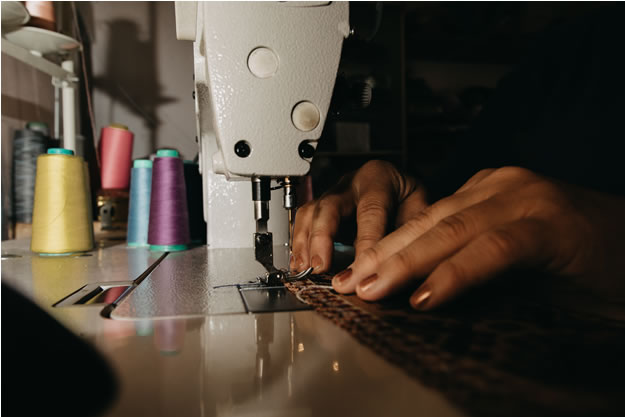
 Embroidery has evolved from traditional hand stitching to advanced machine techniques. One key element to perfecting machine embroidery is selecting the right embroidery file format. Different machines require different file types, and choosing the wrong one can lead to stitching issues. This guide will help you understand the most common formats like DST, PES, JEF, and others, so you can confidently choose the best one for your machine.
Whether you’re a professional or just starting out, understanding the importance of embroidery file formats can save you time and ensure perfect results.
Why the Right Embroidery File Format Matters
Embroidery machines read digital files that tell them how to stitch a design. These files contain vital information such as stitch patterns, color changes, and technical data. If you use the wrong embroidery file format, you could encounter problems like poor stitching quality or the machine being unable to read the file at all. Choosing the correct format ensures your designs stitch perfectly.
Common Embroidery File Formats
DST (Tajima Format)
The DST format is one of the most popular in commercial embroidery. Created by Tajima, this format is compatible with most industrial machines.
Best For: Industrial machines like Tajima, Brother, and Barudan.
Why Choose DST: It’s versatile and efficient but does not include color information, so you’ll need to input thread colors manually.
Key Takeaway: Use DST for commercial-grade machines or if you need a universal format.
More about Tajima machines and formats
PES (Brother Format)
PES files are designed for Brother embroidery machines and are widely used by home embroiderers.
Best For: Brother and Babylock machines.
Why Choose PES: PES files include both stitch and color information, making it easier to stitch designs without extra input.
Key Takeaway: If you use Brother or Babylock machines, PES files are the way to go.
JEF (Janome Format)
JEF is the primary format used by Janome machines. It’s a compact format that includes all necessary design data.
Best For: Janome machines.
Why Choose JEF: This format ensures high-quality stitching and accurate design reproduction on Janome machines.
Key Takeaway: Use JEF if you want optimized output for Janome machines.
EXP (Melco Format)
EXP files are used primarily in commercial machines like Melco and Bernina. While they contain essential stitch data, they don’t include color information.
Best For: Melco and Bernina machines.
Why Choose EXP: Great for commercial embroidery, but thread colors must be set manually.
Key Takeaway: Choose EXP for versatility across different commercial machines.
VP3 (Viking/Pfaff Format)
VP3 files are common among home embroiderers who use Husqvarna Viking and Pfaff machines.
Best For: Husqvarna Viking and Pfaff machines.
Why Choose VP3: VP3 files contain both stitch and color data, ensuring smooth and accurate stitching.
Key Takeaway: Use VP3 for a reliable, all-in-one format if you own a Viking or Pfaff machine.
How to Choose the Right Format
Check Your Machine’s Manual: Your machine’s manual will list compatible file formats, which is the best place to start.
Use File Conversion Software: If you have a design in the wrong format, software tools can easily convert it to the correct embroidery file format.
Determine File Needs: Some projects require color data (PES, JEF), while others may not (DST, EXP).
Communicate with Your Digitizer: If you outsource your designs, let the digitizer know your machine’s format. EZ Stitch Digitizing can deliver designs in the format you need.
Why File Format Compatibility Is Critical
Using the correct embroidery file format ensures that your machine runs smoothly and that your designs stitch accurately. Incorrect formats can lead to missed stitches, misaligned designs, and even machine errors.
At EZ Stitch Digitizing, we provide embroidery files tailored to your machine. Whether you need DST, PES, JEF, or another format, we ensure that your designs stitch perfectly.
Conclusion
Choosing the right embroidery file format is essential to successful embroidery projects. By selecting the proper format for your machine, you avoid common issues and ensure that your designs stitch beautifully every time. Whether you’re managing home projects or commercial embroidery, understanding these file formats will make your work much easier.
For help with embroidery designs, contact EZ Stitch Digitizing today. We’ll make sure you have the right format for your machine!